
By Aekot | 6 May 2026

Introduction
If you’ve been around Salesforce long enough, you know that some releases feel like maintenance windows with a press release attached. Summer ’26 is not one of those. There’s real substance here – particularly for teams who live in Flow Builder, Apex developers who care about security, and anyone who has ever lost an afternoon chasing a broken Email Template reference after a sandbox deployment.
Salesforce is calling the direction here the Agentic Enterprise. The idea is that AI agents and human teams work together on the same platform, with Salesforce doing the coordination instead of your team doing it manually. You’ll see it shows up across Flow, developer tooling, and a new release channel system that gives teams earlier visibility into what’s coming.
At Aekot, we’ve been going through the release notes and testing features in pre-release orgs since they opened up. This article is our practical read on what’s actually worth your attention, organized by area, with an honest view of what each change means on the ground.
Note: Just a heads up on the Summer ’26 release dates – worth knowing before your team makes any assumptions. Production upgrades roll out across three separate weekends: May 8, June 5, and June 12–13, 2026. May 8 is the first wave for early production instances, not a sandbox date. Sandboxes are targeted for upgrade around May 9, so the two are close but not the same thing. Which date applies to your org depends entirely on your specific Salesforce instance – there’s no single go-live date for everyone. The quickest way to check is trust.salesforce.com – search by your instance name or domain, select Maintenance, and it’ll show you exactly when your org is scheduled to upgrade.
Agentforce and the Agentic Enterprise Salesforce: The Agentic Enterprise isn’t a product name. It’s how Salesforce thinks about the work going forward: admins and developers set the intent, agents do the execution, and ideally, nobody has to manually wire the two together.
- Agentforce editing for Screen Flows: The biggest practical change in Summer ’26 is Agentforce-assisted editing expanding to Screen Flows. Until now, you could use Agentforce to modify Record-Triggered and Schedule-Triggered Flows by describing what you wanted in plain English. That same capability now works in Screen Flows.
Example:
An admin types: ‘Add a required email field after the Name input and remove the Notes section.’ Agentforce reads the existing flow structure and automatically applies the requested changes.
For teams managing a large library of screen flows, this is a real time saver. It won’t replace the need for someone who understands flow logic, but it removes a lot of the manual clicking for routine modifications. Worth noting: this feature requires Foundations or Agentforce 1 editions, and you’ll need Data 360 provisioned and Einstein generative AI enabled before you can use it. If you’re not sure whether your org qualifies, check with your account executive before building workflows around it.
What the Agentic Enterprise means for your org: The practical implication is straightforward: the platform is getting better at handling configuration work that previously required a trained admin to do manually. That doesn’t make admins less valuable. If anything, it shifts where their value lies – away from repetitive edits and toward the design decisions that actually require judgment. The teams we work with that are getting the most from Salesforce are already thinking this way.
- Salesforce Flow – Major Automation Upgrades Flow have been moving faster than any other part of the platform for the past few releases, and Summer ’26 keeps that momentum going. Several of the changes here are ones the community has been asking for, for years.
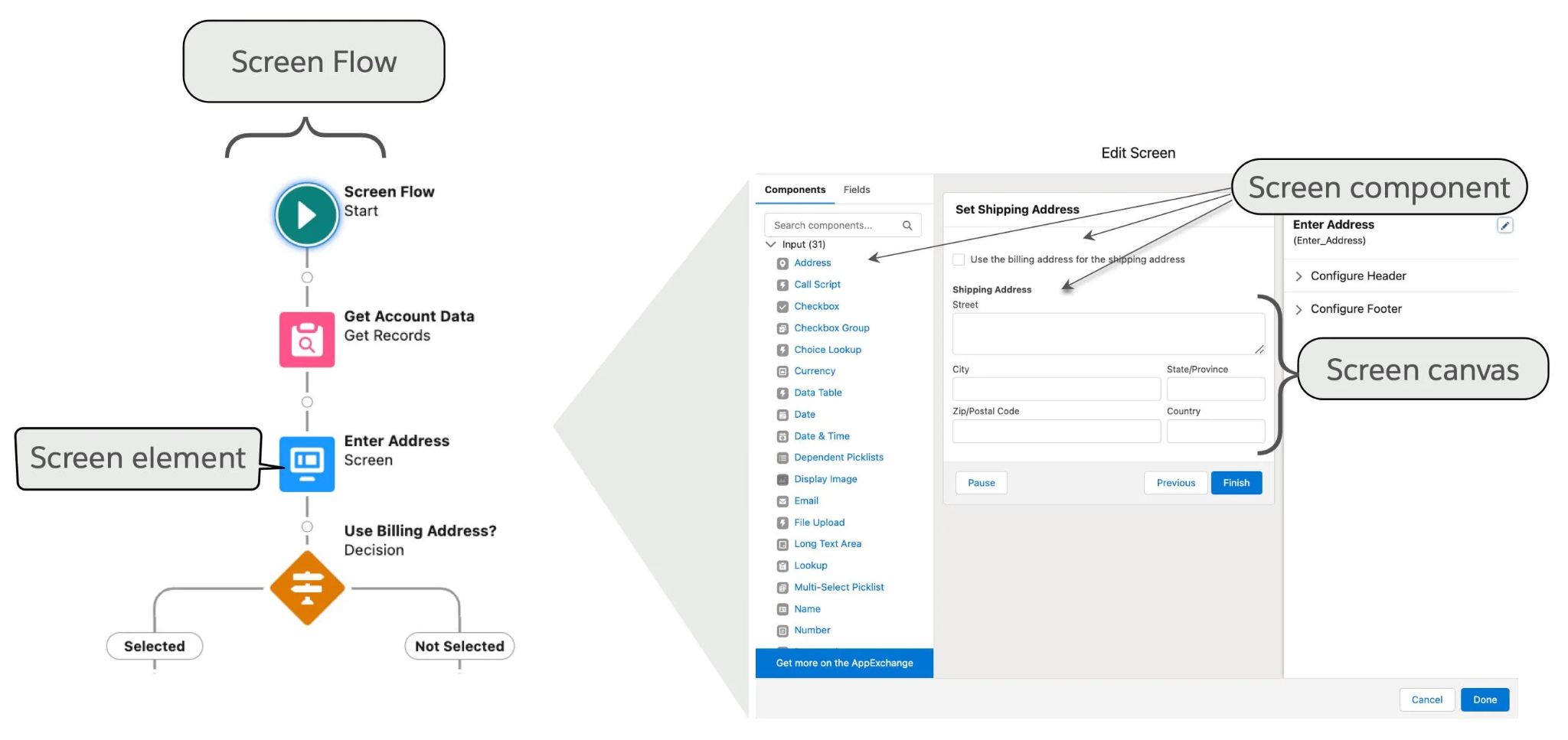
- 20 new date operators in Decision elements: This is the one that’s going to save the most cumulative hours across the Salesforce ecosystem. Salesforce has added twenty new operators specifically for date fields in Decision elements. You can now build logic directly around conditions like:
Is Today
Is Tomorrow
Is Yesterday
Is This Month
Is Anniversary of Today
Last Number of Days
Next Number of Months
Before this, building date-relative logic in a flow meant creating formula resources, referencing them in your decision conditions, and hoping the next person who looked at the flow could figure out what you were doing. These operators bring that logic directly into the Decision element itself. Worth noting: this applies to Date data types only, not DateTime. Keep that in mind if you’re working with timestamp fields.
- Configurable batch size for Schedule-Triggered Flows: Schedule-triggered flows have always processed records in batches of 200. A fixed default you couldn’t change. If your flow was processing a large dataset and bumping into governor limits, your options were basically “add custom Apex” or “live with it.” Summer ’26 gives admins control over the maximum batch size for schedule-triggered flows.
The numbers are straightforward: If your flow needs to process 7 records and you set a maximum batch size of 2, Salesforce automatically runs 4 batches. Smaller batches reduce governor limit risk in high-volume scenarios, but setting the value too low will increase overall processing time – so there’s a calibration exercise to do based on your specific flow’s complexity and volume.
- Collapsible Fault Paths: Spring ’26 introduced the ability to collapse Decision and Loop elements on the flow canvas. Summer ’26 extends that same capability to Fault Paths. If you’ve ever worked on a complex production flow where every element has a fault path running alongside the main logic, you’ll understand immediately why this matters. The canvas gets visually noisy fast, and collapsing fault paths while you’re focused on the main flow logic makes the whole experience significantly more manageable.
- Formula mode directly in Action inputs: Previously, using a formula value as the input to a Flow Action required you to create a separate formula resource and then reference it – an extra step that cluttered the canvas and made flows harder to read at a glance. Summer ’26 adds a Formula mode directly inside the Action element’s property panel. You write the formula inline, preview it, and edit it without leaving the panel and without adding extra elements to your canvas. Small change, meaningful improvement.
- Email Template references persist across environments: This one has been causing quite a pain in Salesforce implementations for years. When you use an Email Template in a Send Email Action inside a flow and deploy that flow from sandbox to production, the Email Template reference breaks. That’s because Email Template IDs are different between environments. After deployment, someone would have to manually go back into the flow, reselect the template, and reactivate – and if they missed it, automated emails would just stop going out.
Summer ’26 fixes this. In the Send Email Action, you can expand the “Show advanced options” section and set the Action Version to 3.0.1 or higher. This new version of the action preserves the template reference correctly across environments, so your deployments stop breaking email flows. If you’re currently using Email Templates in Send Email Actions, updating the action version in your sandbox before your next deployment is worth doing proactively.
- Improved Errors and Warnings panel: The Errors and Warnings panel in Flow Builder has been reorganised into a card-based layout, making it easier to scan what needs attention before you save or activate a flow. Not a headline feature, but one of those small improvements that makes a real difference when you’re working through a long validation pass before pushing a flow to production.
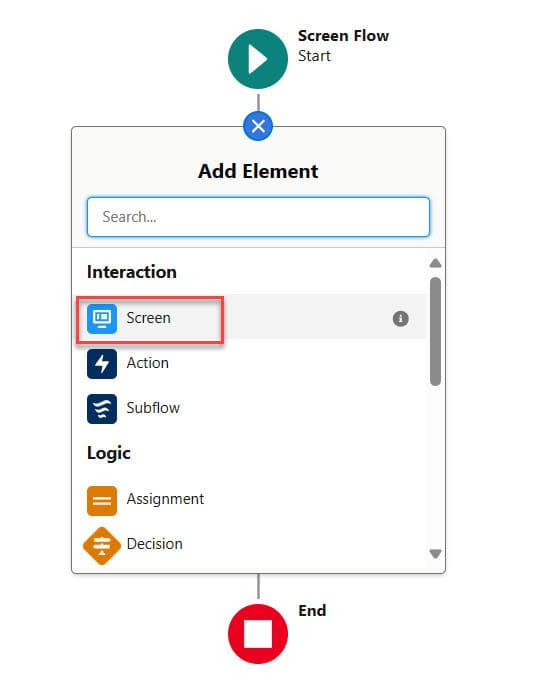
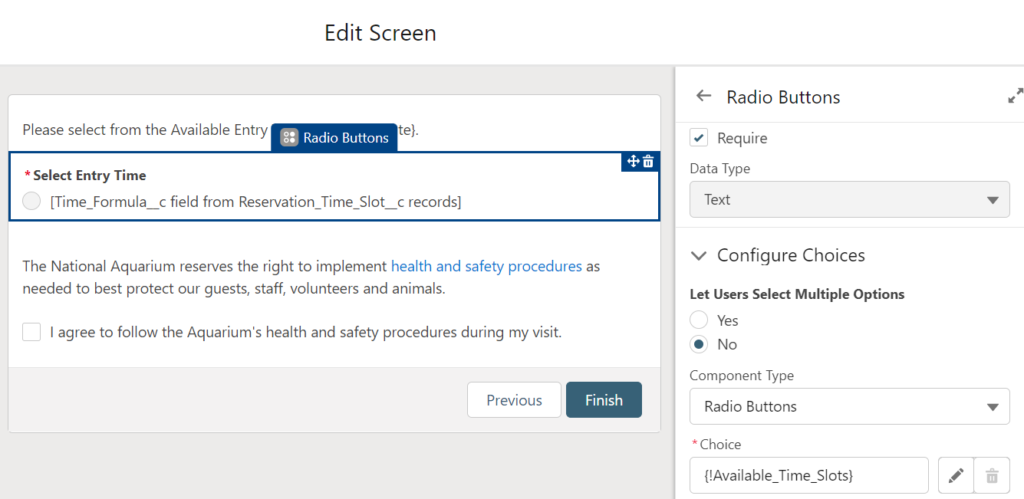
- Radio Button Group component for Screen Flows:
Standard Radio Buttons in Screen Flows are functional but take up a lot of vertical space, especially when you have more than a handful of options. Salesforce has introduced a new Radio Button Group component that presents choices as horizontal boxes instead – more compact, more scannable, and better suited to modern screen flow UX. On mobile, the options stack vertically. Users still select a single option at runtime, the same as standard radio buttons, but the layout improvement is noticeable. If you’ve been working around the visual bulk of traditional radio buttons with custom components, this might let you swap back to a standard component.
Summer ’26 Flow updates at a glance
| Feature | What it does | Business impact |
| 20 date operators | Date-relative logic is built directly into Decision elements | Eliminate formula workarounds; faster build, easier maintenance |
| Batch size control | Set max batch size for schedule-triggered flows | Reduce governor limit risk in high-volume automation |
| Collapsible Fault Paths | Hide error paths while working on the main canvas | Cleaner canvas; faster navigation in complex flows |
| Formula mode in Actions | Write formulas inline in Action inputs | Fewer canvas elements; more readable flows |
| Errors and Warnings cards | Redesigned validation panel | Faster issue identification before save/activate |
| Agentforce for Screen Flows | Describe changes in plain language | Faster iteration without deep Flow Builder expertise |
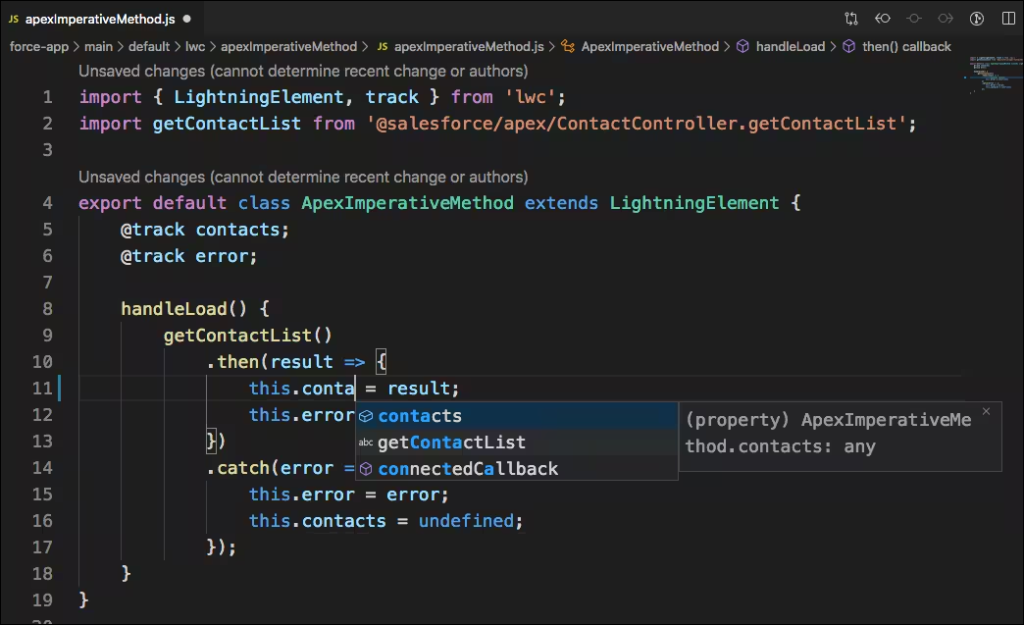
- Developer Updates – Apex, LWC, and Security Summer ’26 has a solid set of developer-focused updates. The Apex changes in particular are worth taking seriously before you move any new code to API version 67.
Release channel tiers:
Standard, Accelerated, and Dev Salesforce has introduced a beta opt-in feature called Salesforce Release Manager, which gives development teams structured access to upcoming features before they land in a major release. It operates across three channels:
- Standard – the stable production release that all orgs are on by default.
- Accelerated – production-ready features that are complete but haven’t been bundled into a formal seasonal release yet. Items move here as they’re finished.
- Dev – features in active development, shared early and often without full documentation. This is where new capabilities appear first and where things may still change. Access to the Dev channel requires an explicit opt-in – it’s not available by default, and features here can be modified or pulled before they reach a major release. Don’t build anything critical against Dev channel features until they’ve moved to Accelerated.
This replaces having to rely entirely on pre-release orgs or community previews to understand what’s coming. For developer teams who want to test compatibility ahead of a release, opting into the Accelerated channel in particular is worth exploring.
- Apex multiline strings and string templates:
Working with long strings in Apex has never been elegant. Summer ’26 addresses this with two related additions. First, multiline strings can now be defined using triple single quotes, allowing a string literal to span multiple lines without concatenation. Second, Apex string templates let you pass a map of values into a multiline string to populate named variables inline using the ${variable_name} syntax – the $ comes first, then the curly braces. A pattern that developers coming from JavaScript or Python will find immediately familiar. Together, these make Apex string handling significantly cleaner, particularly for constructing messages, email bodies, or complex text outputs in code. - API version 67 security defaults: This is the change that requires the most planning. Starting with API version 67, Apex has new security defaults designed to make code more secure out of the box. Database operations – SOQL, SOSL, DML, and Database methods – now run in user mode by default rather than system mode. That means field-level security, object permissions, and sharing rules are all enforced automatically. If your code was relying on system-mode access without explicitly declaring it, you’ll want to test carefully before moving to v67. Apex classes with no sharing declaration now default to with sharing instead of without sharing – another silent behaviour change that can surface exceptions in code that previously ran without issue. Apex triggers now always run in system mode regardless of API version, and sharing declarations on triggers is no longer permitted at all. And WITH_SECURITY_ENFORCED is removed in v67 – not deprecated, removed. Any class on v67 or later that still uses it won’t compile. Migrate those queries to WITH USER_MODE before you move up API versions.
Action Required: If your org has Apex using WITH_SECURITY_ENFORCED, plan to migrate those queries to explicit user mode before moving to API v67. Test in a sandbox first – the sharing and field-level access changes can surface exceptions in code that previously ran without issue.
- LWC component preview in browser and VS Code – now GA:
LWC Single Component Preview hits GA in Summer ’26. You pick a component, preview it directly in the browser or VS Code, and you’re done. No full Salesforce page reload, no waiting around. It’s been on the wishlist for a while, and it’s finally here. If your team is still reloading the full page to test component changes, I recommend adopting this immediately.
LWC State Management – Beta in Summer ’26
If you’ve ever built a complex multi-component app in LWC, you’ll know the pain of threading data through five levels of nested components just to get a value where it actually needs to be. It gets messy fast, it’s hard to debug, and adding one new component usually means rewiring things you’d rather not touch. That’s exactly the problem LWC State Management is designed to solve – and in Summer ’26, it moves further along the road to general availability, though Salesforce’s official documentation still classifies it as beta. It’s worth getting familiar with now, but treat it accordingly in production.
The idea is straightforward: instead of passing data through parent-child chains or firing events up and down the component tree, you create a state manager – a dedicated JavaScript module that holds your application’s shared data and the logic to update it. Any component that needs that data connects directly to the state manager, regardless of where it sits in the hierarchy.
Under the hood, state managers are built around two core concepts. Atoms are reactive containers – each one holds a single piece of data, and when it changes, every component watching it updates automatically. Computed values sit on top of atoms and derive new values from them, recalculating whenever their dependencies change. You wire everything together using the defineState function from @lwc/state, and the framework handles the reactivity from there.
Worth clarifying: this is not a replacement for Lightning Message Service. LMS still makes sense for communication between completely unrelated components across different pages or namespaces. State management is the better fit when multiple components within the same app share and update data, and you want that coordination to happen cleanly – no custom event chains, no prop drilling, no guesswork.
If you’re building anything beyond a handful of LWCs that share state, this is worth learning before your next project starts. The official GitHub examples repo is the best starting point – the simple state manager example covers the basics well, and the nested example shows how to compose state managers for more complex scenarios.
SOQL Formula in WHERE Clause – Pilot
This one is in pilot, so not everyone can use it yet – but it’s worth knowing about because it solves a problem that has forced unnecessary complexity into Apex code for years.
Right now, if you want to filter records based on a calculated value – comparing two fields with arithmetic between them, for example – your options aren’t great. You can create a formula field on the object and query against that. You can pull a broader dataset and filter in Apex after the fact. Or you write some workaround logic that the next developer on the project will have to piece together. All of these add overhead – either in metadata, in governor limit consumption, or in code that shouldn’t need to exist.
Summer ’26 introduces a FORMULA() function you can use directly in the WHERE clause of a SOQL query. Instead of pulling records broadly and filtering afterwards, you run the calculation inline and get back exactly the records you need. Fewer records returned means fewer rows against governor limits, leaner Apex, and queries that are easier to read and maintain at a glance.
Because this is a pilot, access isn’t automatic – you’ll need to reach out to your Account Executive or Customer Success Manager to get enrolled. Documentation is limited at this stage, which is normal for pilot features. But given how frequently developers hit this wall, it’s one to watch closely and worth getting into early if you can.
If you’re on the pilot, test against realistic data volumes in the sandbox before it goes anywhere near production, and keep an eye on query performance with larger object datasets.
- Security, Governance, and DevOps
Tighter permission controls:
The three permission updates in Summer ’26 that don’t get enough attention.
- First, Field Access Summary in Object Manager. Anyone who’s had to answer “who has access to this field?” knows what that process looks like today – open profiles, open permission sets, open permission set groups, cross-reference everything manually, probably miss something. Field Access Summary puts it all on one screen. Find your object in Object Manager, hit Field Access in the sidebar, pick the field, and you get a clean breakdown of every profile and permission set granting access to it. A question that used to take ten minutes now takes seconds.
- Second, permission dependency visibility. When you updated user permissions before, any related changes happened silently in the background. You’d only find out what actually changed by digging through the Setup Audit Trail afterwards. Now Salesforce shows you the dependency updates before you save, so you know what’s about to change before it changes. Small shift, but it removes a genuine blind spot in how admins manage access.
- Third, a new Manage Shared List Views permission. The old setup forced users to have Manage Public List Views just to share one of their own list views, which also gave them the ability to edit or delete anyone else’s public list view in the org. That was always too broad. The new permission scopes it down: users can share their own list views without getting access to everything else.
No migration required for any of these. They’re just better ways of doing things you’re already doing.
- Expanded debugging visibility:
Debug logging has been improved to provide more context around errors and workflow sequences. For admins and developers working through automation issues, richer log output means less time guessing about what happened and more time actually fixing it. It’s not a redesign, but anyone who’s spent an afternoon staring at an unhelpful error trace will notice the difference. - DevOps and release management improvements:
The standout developer tooling addition in Summer ’26 is Salesforce Web Console – a lightweight, browser-based IDE built directly into your org. It’s the long-overdue upgrade to the legacy Developer Console for in-browser work, sitting alongside VS Code and Salesforce CLI rather than replacing them entirely. Unlike the full Agentforce IDE, which requires a paid org, Web Console is available across all org types at no cost. It’s off by default, though – an admin needs to enable it first by searching Web Console (Beta) in Setup and turning it on. Built on VS Code for Web foundations, it gives you a single in-browser environment for writing Apex, running SOQL queries, and doing in-org customisation without any local installation. For teams that have standardised on VS Code with Salesforce CLI, this isn’t a replacement – it’s a faster path for quick ad-hoc fixes, and a much better starting point for developers who aren’t ready to set up a local toolchain yet.
- How to Prepare Your Org for Summer ’26:
The first wave of Summer ’26 has already started. If your instance hasn’t been upgraded yet, here’s what to focus on now:
- Check your upgrade date at trust.salesforce.com – search by your instance name or domain, then select Maintenance to see exactly when your org is scheduled.
- Get into your sandbox now. Pre-release orgs have been available since April, but at this point, your sandbox is the more useful testing ground. Use it to validate your customisations against the Summer ’26 changes before they hit production.
- Review Release Updates in Setup – specifically the SAML framework migration, which is enforced in Summer ’26. If your org uses SAML for SSO and you see this update listed, it needs to be completed before your upgrade date, or single sign-on will stop working. Note: the Instanced URL enforcement update has been postponed to Winter ’27, so that one is off the immediate list despite what you may have seen in earlier summaries.
- If your Apex uses WITH_SECURITY_ENFORCED, treat this as urgent. It is not deprecated in API v67 – it is removed. Code that still uses it will fail to compile. Migrate to WITH USER_MODE in your sandbox before you move anything to v67 in production.
- Run regression tests on your schedule-triggered flows, especially high-volume ones. The new batch size controls change how these flows process records, and anything running close to governor limits is worth checking before your sandbox upgrades.
- Update Send Email Actions that use Email Templates. In the action’s Show Advanced Options section, set the Action Version to 3.0.1 or higher. This stops the template reference from breaking every time you deploy across environments.
- If your org is on Foundations or Agentforce 1 editions, walk your team through Agentforce for Screen Flows before they start experimenting independently. A 30-minute session now will prevent a lot of trial-and-error later. If you’re not sure whether your edition includes this, check with your account executive first.
Closing Thoughts:
Summer ’26 is a well-constructed release. The Flow improvements alone – the date operators, batch size control and email template persistence – fix problems that Salesforce practitioners have been working around for years. The Agentforce Screen Flow editing is genuinely useful rather than just a demonstration of capability. And the API v67 security changes make Apex code more secure by default, which is overdue, even if they require some preparation work beforehand.
The features that need action before they land are clear: WITH_SECURITY_ENFORCED in Apex, Email Template action versions in flows, and the release update enforcements in Setup. Everything else is an upgrade you can explore in your sandbox and adopt at your own pace.
At Aekot, we’re working with clients on Summer ’26 readiness assessments and sandbox testing right now. If you’ve got Apex on API v66 or lower, flows using Email Templates, or a high-volume automation you’re not sure about – those are the places to start. Drop us a message at www.aekot.com, and we’ll take a look at what applies to your org specifically.
About Aekot Consulting:
Aekot is a Salesforce consulting partner with a strong focus on North American businesses. We provide end-to-end Salesforce services – from initial strategy and implementation through to customisation, integration, and ongoing support – across Sales Cloud, Service Cloud, Marketing Cloud, and Tableau. Our team of certified consultants and developers is committed to delivering measurable outcomes and staying current with every Salesforce release.
Contact us:
📩 contact@aekot.com 🌐 www.aekot.com 📞 +1 415 800 3212
#Salesforce #SalesforceAdmin #Agentforce #Summer26 #SalesforceDeveloper
#SalesforceRelease #Release26 #Summer